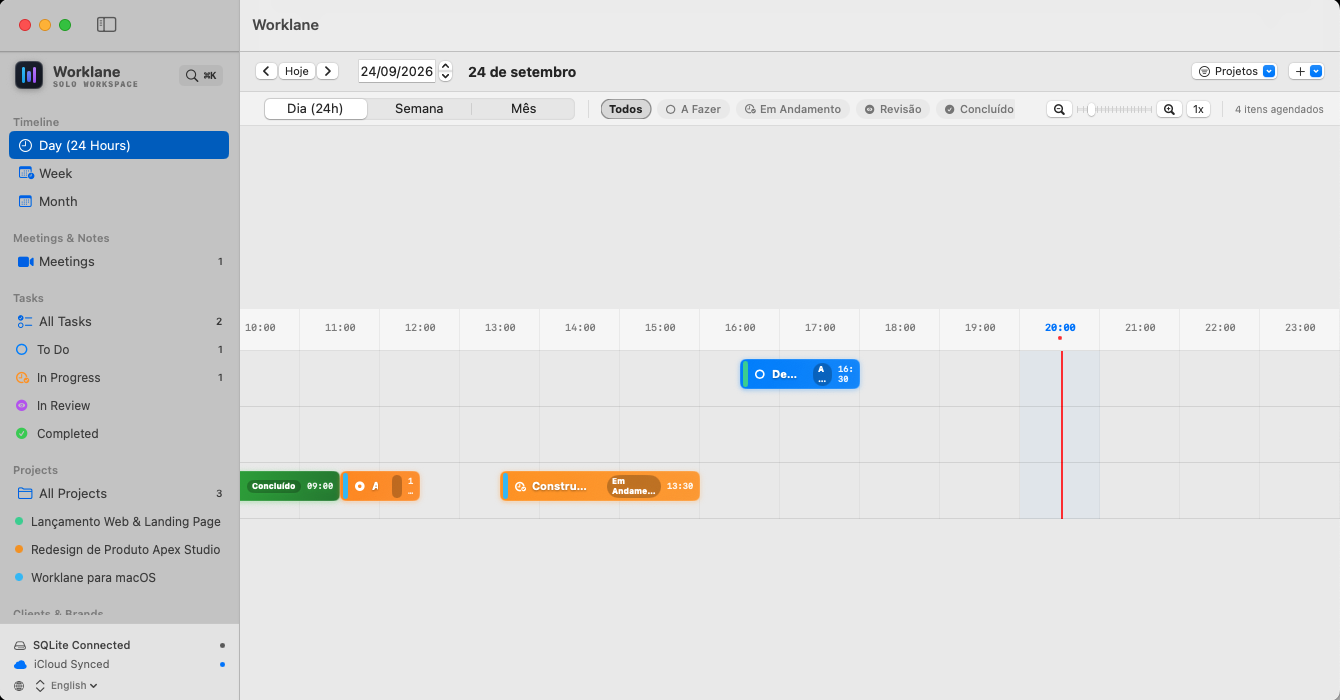
Tired of bloated enterprise trackers and endless monthly subscriptions? Worklane gives solo developers and freelancers a lightning-fast, native macOS command center with Gantt timelines, 24h hourly scheduling, and zero server fees.
Designed strictly around the workflow of solo creators, freelancers, and agile consultants.
Continuous swimlanes grouped by Project and Client. Clearly spot delivery overlaps, adjust deadlines, and visualize your entire roadmap across weeks and months without messy tables.
Time-block your actual day with an anti-overlap hourly scheduler. Simultaneously scheduled jobs are dynamically shifted side-by-side, color-coded by your project's accent.
Ditch plain raw text. Document bugs, PR details, and specifications with hierarchical headers, interactive checklists - [ ], monospace syntax blocks, and instant Live Preview.
Hit ⌘V directly in any task to attach problem screenshots from your clipboard. Attach links to Figma, GitHub pull requests, or design files with responsive thumbnail previews.
Organize execution with To Do, In Progress, Review, and Completed columns. Generate a ready-to-copy formatted status report to send to your clients in seconds.
Store meeting agendas, video call URLs (Google Meet, Zoom, Teams), and a structured Questions & Answers log so commitments and decisions are never lost.
Jump to any task, project, client, or meeting minute instantaneously with Spotlight-like speed. Navigate your entire workload purely from the keyboard.
Fast native SQLite database backed by automatic Apple CloudKit synchronization. Works flawlessly offline, and syncs across all your Macs under your personal Apple ID.
Seamlessly toggle between English and Brazilian Portuguese directly from the sidebar footer. Automatic macOS system language detection included.
Why pay \$120 to \$240 every single year for corporate bloatware when you can own your workspace outright?
None. Worklane is a traditional, honest one-time purchase on the Mac App Store. Once you buy it, you own it forever with no recurring bills.
Worklane uses Apple's official CloudKit framework integrated into SwiftData. Your tasks, clients, and timelines are mirrored securely to your private iCloud container (iCloud.br.com.prodit.worklane). We do not host external databases and have no access to your files.
Worklane requires a Mac running macOS 14.0 (Sonoma) or macOS 15.0 (Sequoia) or later. It runs natively on both Apple Silicon (M1/M2/M3/M4) and Intel Macs.
Yes, absolutely. Because Worklane uses a local SQLite database, you can create, edit, and organize all your projects and tasks without any internet connection. As soon as your Mac reconnects, iCloud replicates changes automatically.
Join independent developers, designers, and consultants who execute on their own terms.
Get Worklane on the Mac App Store